Features / Fillable PDF forms
Fillable PDF forms: their form, your file, no retyping.
Every lender has their own form, asking for things you already told Harmony. Drop the fillable PDF on the deal and ask. She reads the label on every box and fills it from the file.
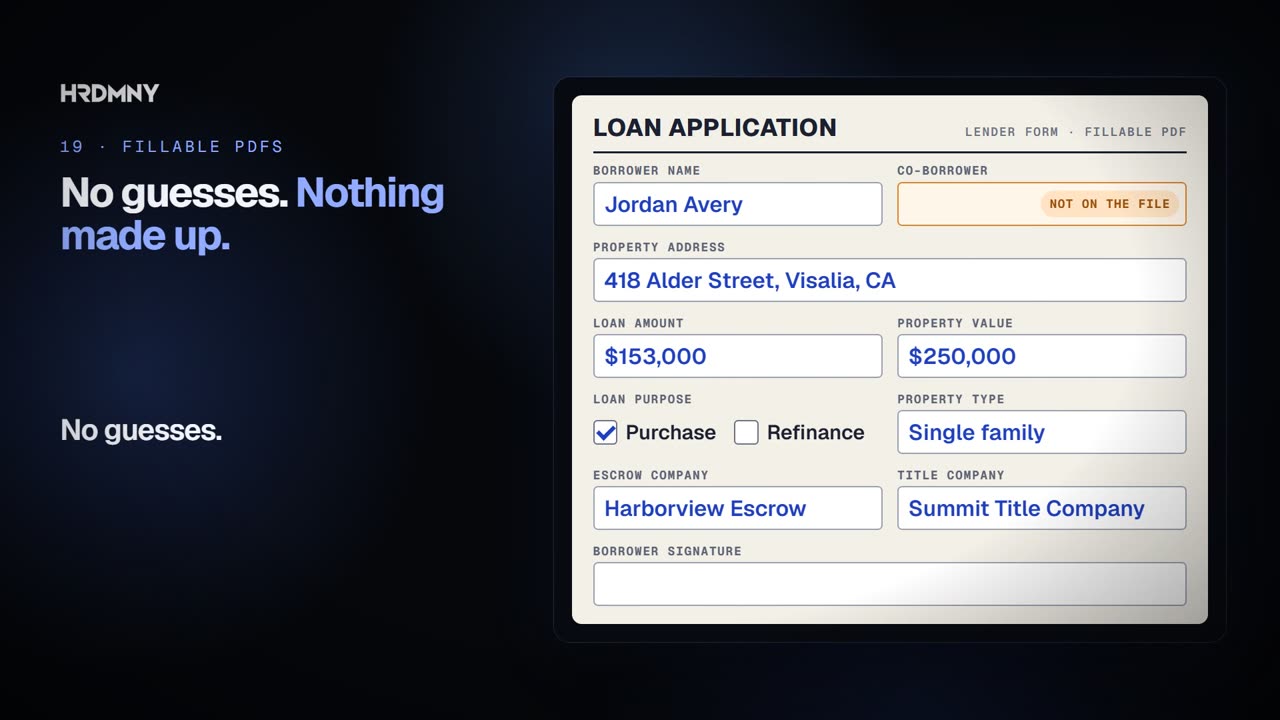
What it does
- Reads the label on every field of a fillable PDF and fills it from the deal: names, the property, the loan terms, even the checkboxes.
- Leaves blank what the file does not state. No guesses and no made-up zeros.
- Never signs for anyone.
- Gives you the count: how many fields were filled, and how many still need a person.
- Saves an editable copy to the deal under the deal's name, so you can type the rest.
- Updates the form when a number changes, and shows you what changed.
- Emails it, or sends it out for signature.
The form everyone retypes
A lender's application asks fifty questions the file already answers. Filling it by hand is slow, and it is where a wrong digit gets in. Filling it from the deal takes the retyping out and tells you exactly which boxes are left.
The video, word for word
Harmony narrates her own videos. Names and figures she mentions are sample data.
Their form. Your file. I fill it in.
Every lender has their own form. Fifty boxes, asking for things you already told me. So drop their fillable PDF on the deal, and ask.
I read the label on every box, and fill it from the file. Names. The property. The loan terms. Even the checkboxes.
What the file doesn't say, I leave blank. No guesses. No made-up zeros. And I never sign for anyone.
Then I give you the count. Forty-six of fifty-two filled. Six still need a human.
The copy stays editable, so you can type the rest. It's saved to the deal, under the deal's name. And if a number changes, ask, and I update the form and show you what changed.
Then I email it, or send it out for signature.
Their form. Your file. No retyping.
See the whole loan in three and a half minutes.
The full tour follows one loan from the first email to after closing.
Straight answers
- Does it work on scanned forms?
- No. The form must be a PDF with fillable fields. A flat scan cannot be filled.
- Does Harmony sign the form?
- No. She never signs for anyone. She can send it out for e-signature.
- How do I get access?
- Onboarding is by invitation. Workspaces open in order from the waitlist at hrdmny.com, and nothing is charged to hold a place.