Features / Loan document generation
Loan document generation: the package is drawn from the file.
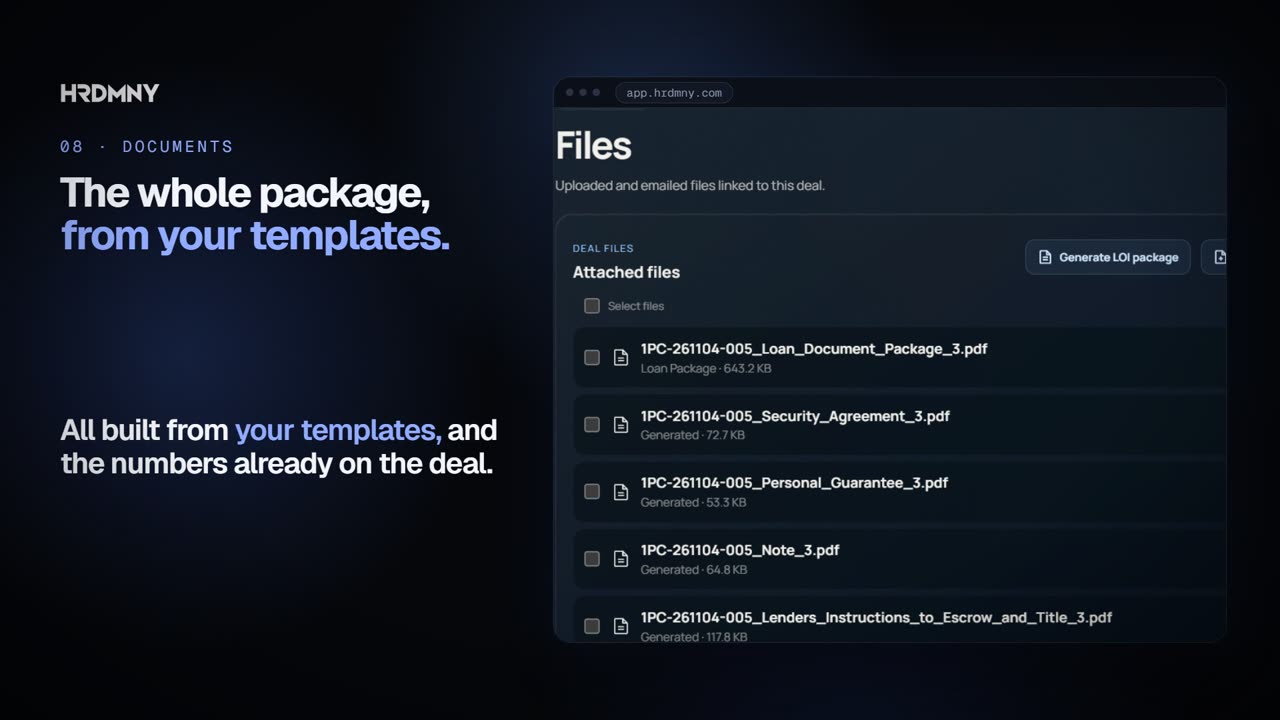
The note, the guarantee, the security agreement, the escrow instructions. Built from your templates and the numbers already on the deal. Nothing retyped, so nothing drifts.
 Watch the video0:30
What it does
- Builds the loan package from your own templates, with merge fields pulled from the deal.
- Draws the note, the guarantee, the security agreement and the escrow instructions from the figures already on the file.
- Marks each document ready, and lets you choose what the broker sees in the portal.
- Keeps the letter of intent package one button away.
- Sends documents for e-signature from the deal, and files the signed copy back on it.
Nothing retyped, so nothing drifts
The usual way a loan document goes wrong is a term that changed after the documents were drawn. Here the documents and the deal read the same numbers, so a change on the file is a change in the package.
The video, word for word
Harmony narrates her own videos. Names and figures she mentions are sample data.
Loan documents, drawn straight from the file.
The security agreement, the guarantee, the note, the escrow instructions. All built from your templates, and the numbers already on the deal. Nothing retyped, so nothing drifts.
Each one is marked ready. You choose what the broker sees in the portal. And the LOI package is one button away.
See the whole loan in three and a half minutes.
The full tour follows one loan from the first email to after closing.
Straight answers
- Whose documents are these?
- Yours. The package is built from your organization's own templates.
- Does Harmony sign documents?
- No. She sends them for e-signature and never signs for anyone.
- How do I get access?
- Onboarding is by invitation. Workspaces open in order from the waitlist at hrdmny.com, and nothing is charged to hold a place.